

Profile and Workspace Members
Your profile represents you inside Pin Drop.
It defines how you appear to others, what content you choose to share and which workspace you belong to. While maps organise places, profiles organise people.
There are two types of identity in Pin Drop that serve different purposes:
- Your personal profile
- Workspace member view
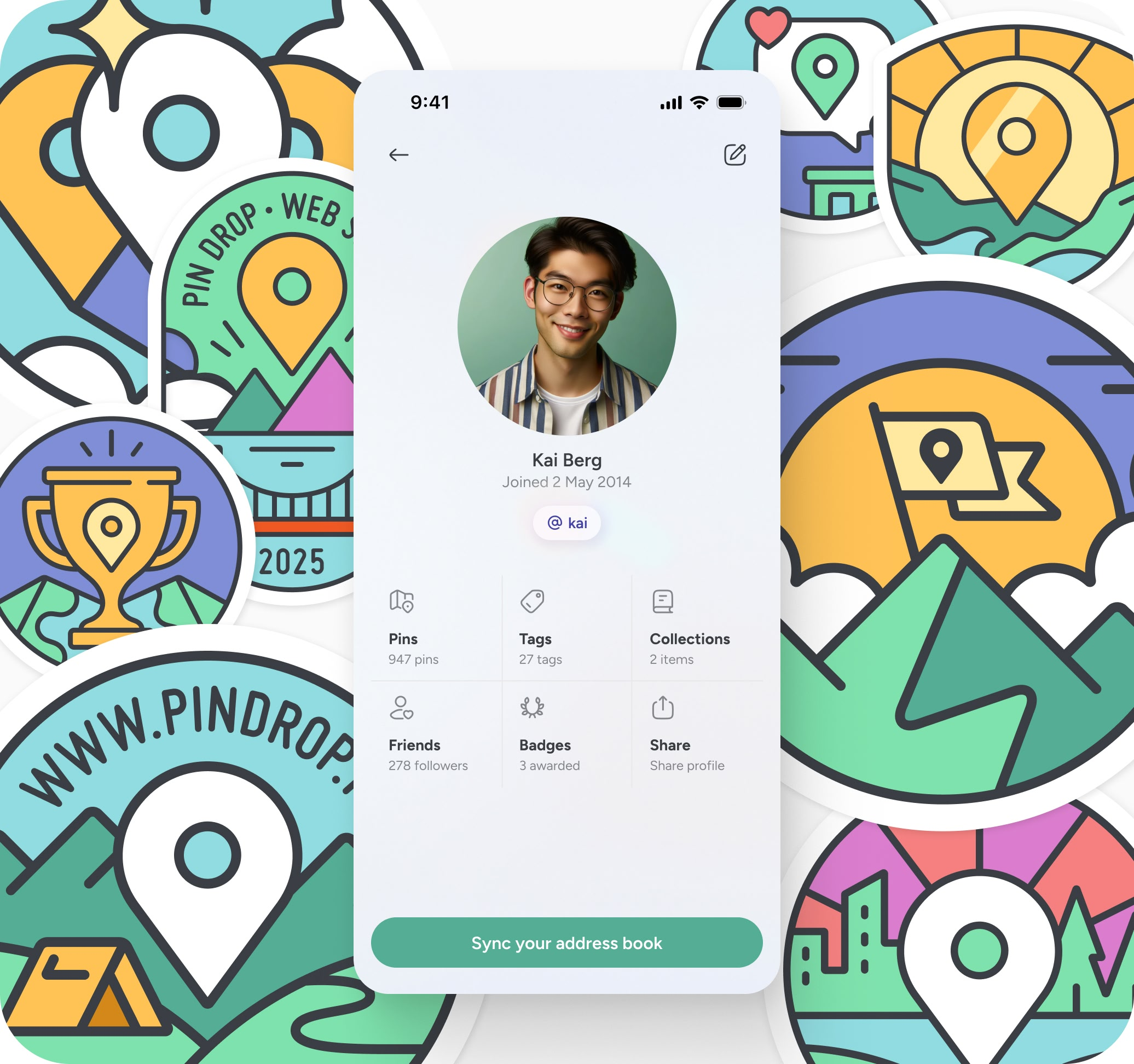
Personal profile
Your personal profile exists outside of any workspace.
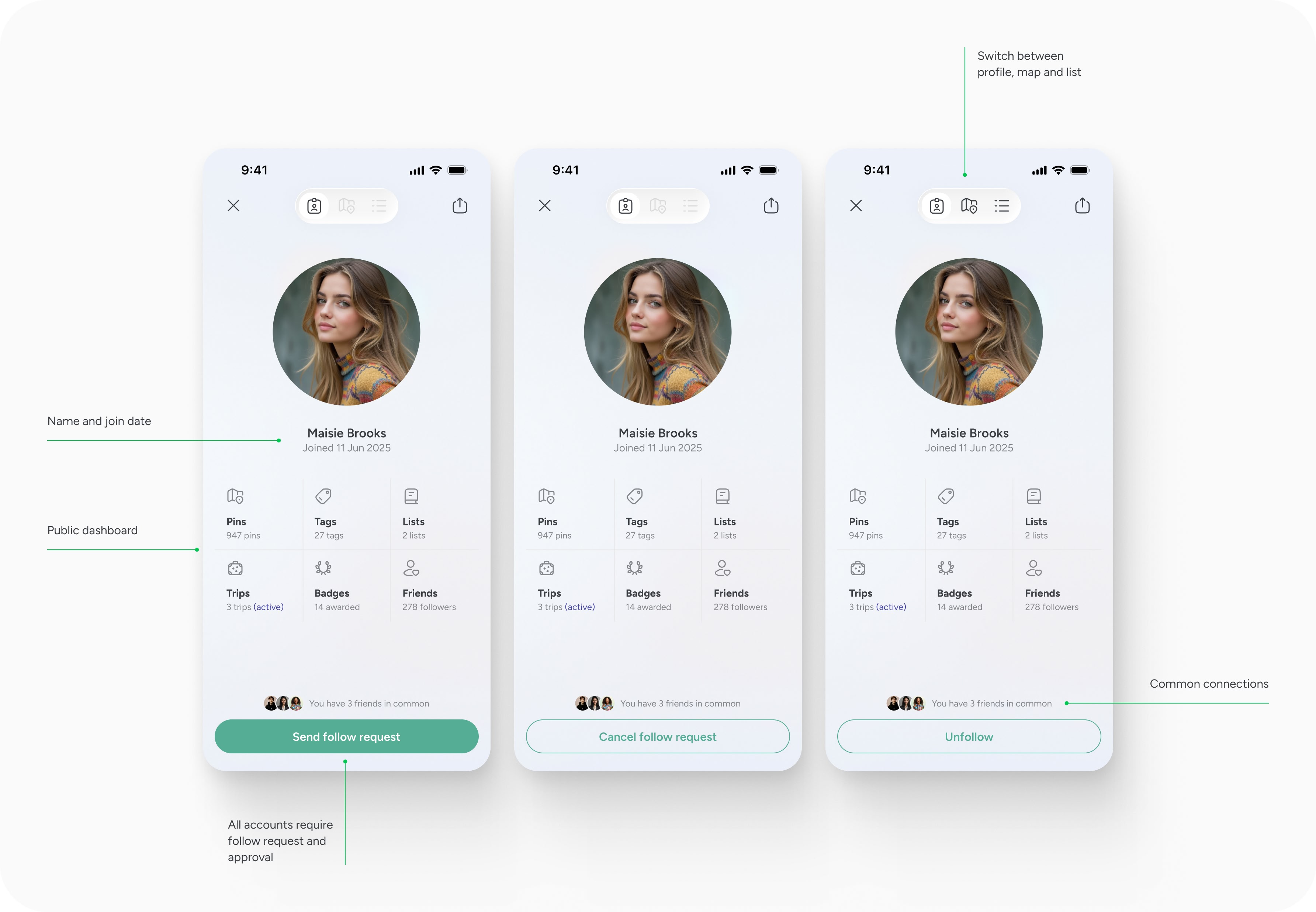
By default, profiles are private. Other users cannot see your content unless you choose to make parts of it visible.
If you decide to share content publicly, other users can request to follow you. You control access. You can grant or remove followers at any time.
Following a user gives access to their publicly shared pins in a map and list view. This does not merge their content with yours. To view shared content, you must visit their profile directly.
In the future, additional shared objects such as trips and lists may also be visible, but currently only shared pins are accessible.
Profiles also display activity indicators such as badges earned through use of the product. You can see who you follow and who follows you. Over time, profiles will support additional presence features, including optional location broadcasting when travelling.
Personal profiles are separate from workspaces. They're only available to free accounts.
One account, one workspace
A single email address can only belong to one account.
If you are part of a team workspace and also want to use Pin Drop for personal mapping, you must create a separate account. Switching between accounts requires logging out and back in.
This separation keeps professional and personal content distinct. It avoids ambiguity about which environment you are working in and what data you are viewing.
Workspace member view
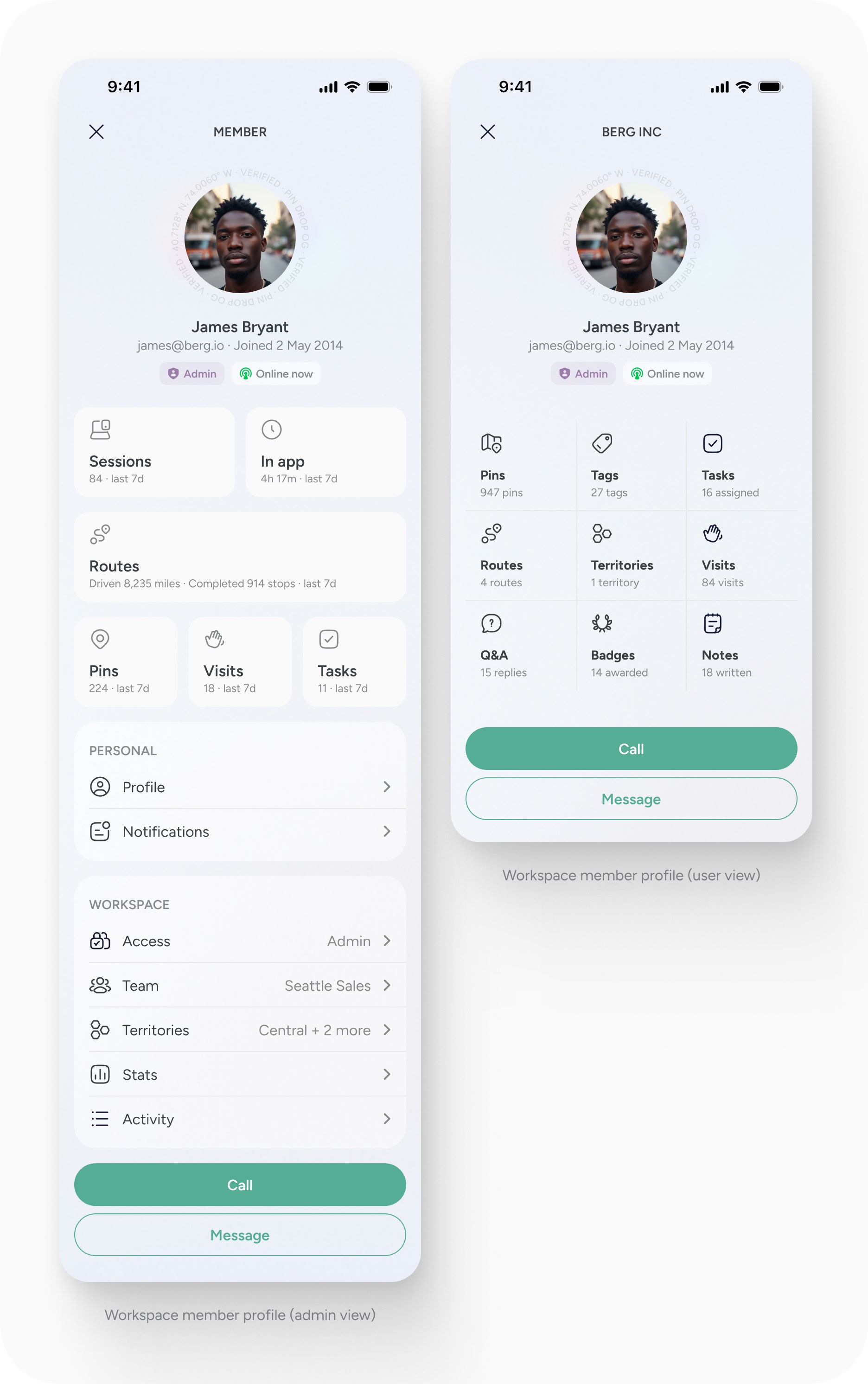
Inside a workspace, profiles are replaced by a member view.
This view is only visible to members of that specific workspace. It cannot be shared externally.
The member view shows how someone participates within that workspace. Depending on your role, you may see activity data such as:
- Pins created
- Tags used
- Tasks assigned
- Visits logged
- Routes completed
- Territories associated
- Notes written
- Recent activity
If you are an admin, you may see additional information such as session history or time spent in app.
The purpose of this view is not social. It is operational. It provides transparency around contribution and activity inside the team environment.
Roles within a workspace
Workspaces currently support two roles:
- Admin
- Member
Admins have additional control over the workspace, including managing members and removing users if necessary. Members participate in the workspace but do not manage it.
In the future, more granular roles and permissions will be introduced, along with guest access for limited collaboration.
Inviting and joining a workspace
Users can join a workspace through an invitation.
Invites can be sent directly to an email address or shared via an invite link. Once accepted, the user becomes part of the workspace and gains access according to their assigned role.
Workspace membership is deliberate. A user cannot belong to multiple workspaces with the same email.
If a member leaves or is removed from a workspace, the data they created remains within that workspace. Pins, visits, tasks and notes are considered property of the workspace owner. This ensures continuity and prevents loss of operational data.

Privacy and ownership
Personal accounts can be deleted at any time by Free users. Deleting an account removes associated personal data.
Workspace data operates differently. Content created within a workspace remains with that workspace even if a member leaves. This protects shared operational records and reporting integrity.
Profiles are private by default. Shared visibility is always intentional.
A simple principle
Maps organise places. Profiles organise people. Inside a workspace, identity supports accountability. Outside of it, identity supports optional sharing.
Keeping these two layers distinct ensures clarity around what is personal and what is operational.


